Training Messages in Antispam Cloud
Protection Tools on Antispam Cloud
Protection Tools on Antispam Cloud
Managing email security is much easier when you know where everything lives. The Protection section in Antispam Cloud gives you quick access to tools that help you view logs, allow trusted senders, block unwanted senders, and check your spam quarantine.
Below is a breakdown of each option you’ll find under Protection.
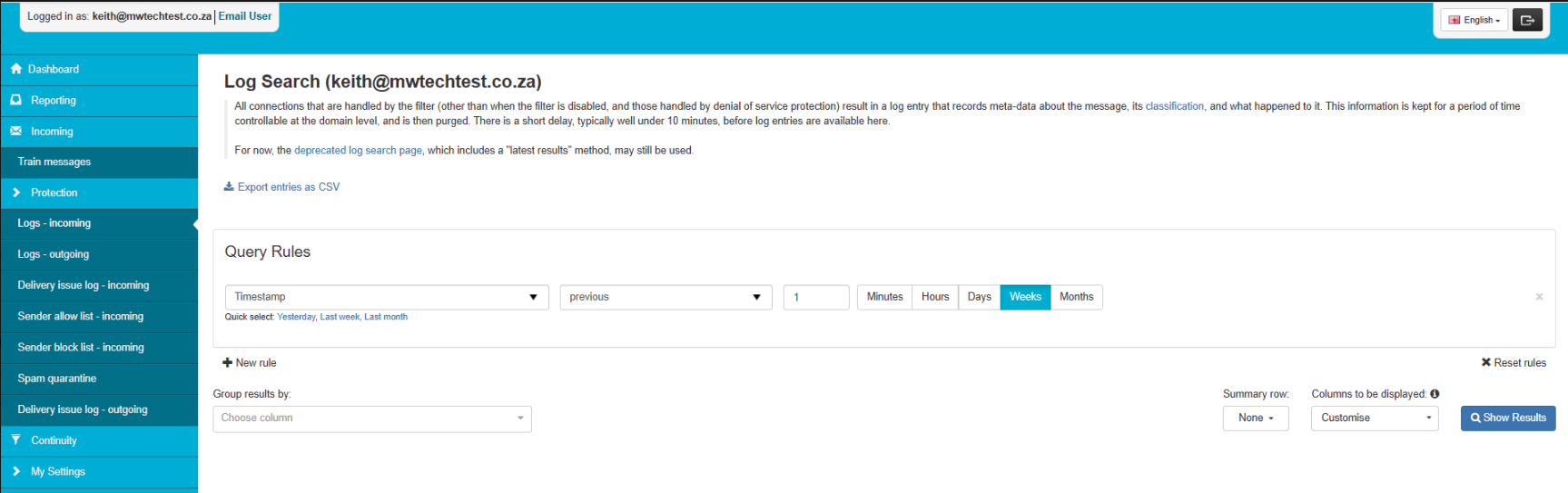
1. Logs - Incoming
Use this tool to search through all incoming email activity. You can check message status, filtering decisions, timestamps, and delivery outcomes.
What you can do:
-
See if a message was accepted, rejected, or quarantined
-
Search by sender, recipient, subject, timestamp, and more
-
Export results to CSV
2. Delivery Issue Log - Incoming
This section records failed attempts when other mail servers try to deliver messages to you.
What you can do:
-
See why inbound mail bounced
-
View filtering host responses
-
Check timestamps and repeated attempts

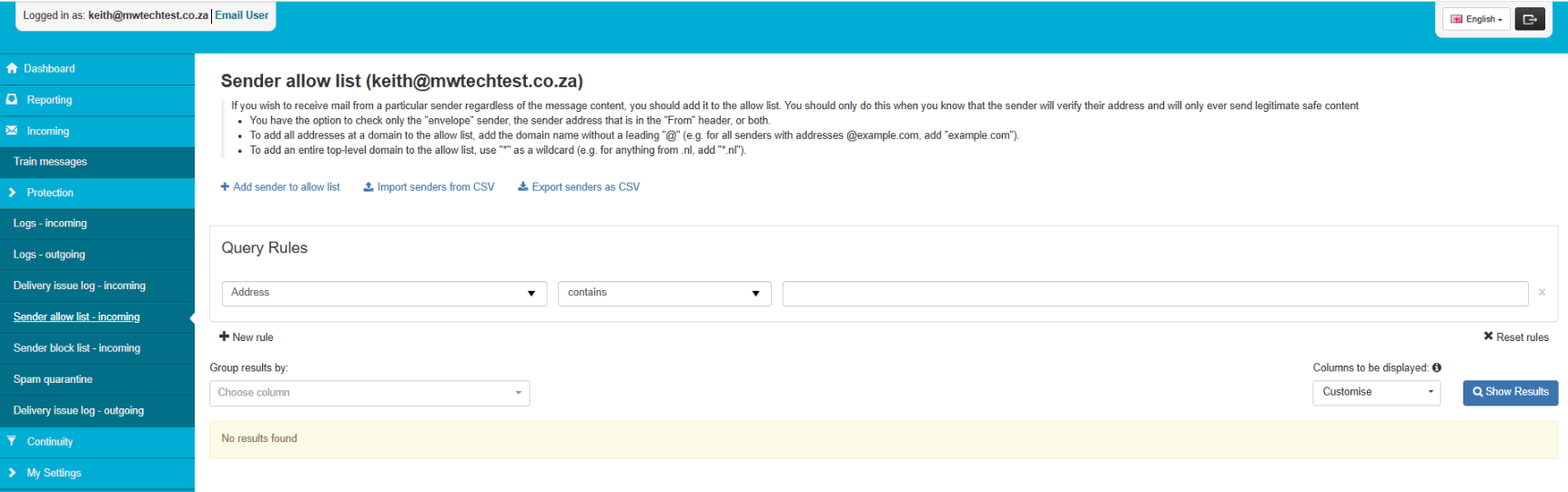
3. Sender Allow List - Incoming
This lets you approve trusted senders or domains so their mail is always accepted.
Examples:
-
Add a single email address
-
Add a full domain (example.com)
-
Add a wildcard top-level domain (*.nl)
4. Sender Block List - Incoming
Use this to block senders you never want mail from. These messages will be rejected before classification.
What you can block:
-
Single email addresses
-
Entire domains
-
Wildcard top-level domains

5. Spam Quarantine
Your quarantine holds mail flagged as spam. If nothing appears here, it simply means no messages have been quarantined.
What you can do:
-
Review quarantined messages
-
Release safe messages
-
Permanently delete unwanted mail
-
Related Articles
©Mweb (Pty) Ltd. All rights reserved.